
Review · TOKYO CITY TOURS
Unlimited WiFi Router – Haneda Airport (Tokyo) Pickup
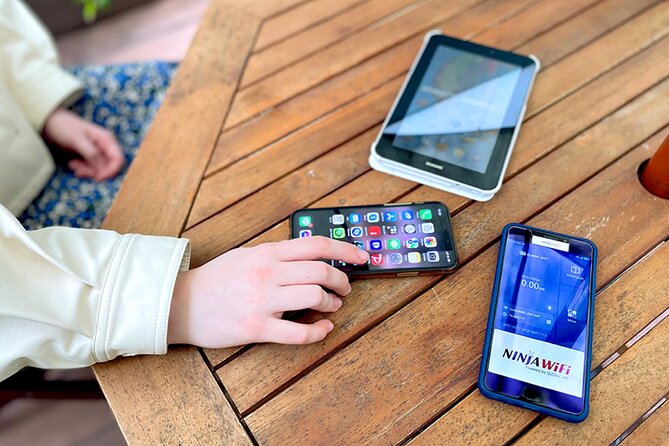
Instant internet in Tokyo starts at Haneda. This rental Wi-Fi setup is interesting because you can land, grab the router at the airport, and start using maps and messaging almost right away at Haneda Airport. I like that it is designed for real-life travel hours, with pickup counters running late, so you are not stuck hunting on arrival day. I also appreciate the power bank included, since it helps your phone survive the first full day of transit and sightseeing.
I love two things most about this experience. First, the router is ready for on-the-go use as soon as you pick it up, including the usual travel apps like Google Maps and social media. Second, the kit is practical, with the router, USB cable, adapter, a Wi-Fi pouch, and a free power bank in the box.
One possible drawback to consider is that the details on device limits and speed can be a little confusing. The info says it connects to up to 10 devices, while another part says up to 5 devices at once, and high-speed data is capped at 3GB per day.
Key things to know before you head to Haneda

- Know the exact counter names by terminal so you are not wandering in arrivals
- Pickup windows stretch late, with specific return boxes for overnight hours
- High-speed data is capped at 3GB per day, so plan how you use YouTube and heavy apps
- Power bank is included, which is a big deal on a day you land and immediately go
- Device limits are stated two ways, so treat the lower number as the safe bet
Picking Up Your NINJA Wi-Fi at Haneda, Counter Names Matter
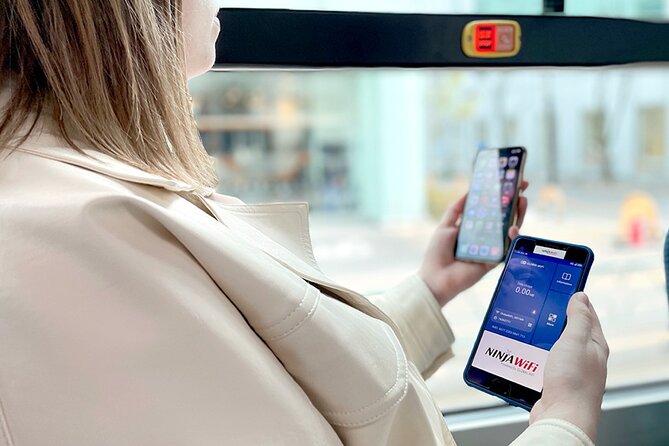
This is one of those airport errands that feels easy when it goes right, and stressful if you arrive without the right expectations. Your job is to go outside airport security, find the correct counter area, show your booking details, and walk away with a 4G LTE router that you can turn on and use right away.
At Haneda, the pickup location depends on the terminal. For Terminal 3, there is a pick-up/return counter at the 2F Arrivals Lobby for the Global WiFi x NINJA WiFi counter, with hours listed as 06:30 to 23:45. For the late-night window, there is a return box at 2F Arrivals Lobby at the JAL ABC counter for 23:45 to 06:30.
Terminal 2 uses a different counter. The pickup/return counter and return box for Terminal 2 are on 2F at the Terminal 2 area for the J WiFi & Mobile x Global WiFi counter, with hours listed as 6:00 to 23:00.
The overall pickup window is also stated as 6:45am to 11:45pm, and that matches the idea that this service is meant for most arrival times. Still, I’d use the terminal-specific hours above as the plan, because late nights can fall into return-box territory.
A small but useful tip from real-world pickup experiences: having your reservation form and your passport ready speeds things up. Also, one caution that comes up is that airport maps and signage can be off or easy to miss, so if you are using your phone to navigate inside Haneda, double-check that you are walking toward the correct counter area rather than following a pin that looks close but is wrong.
You can also read our reviews of more tours and experiences in Tokyo.



From First Landing to Dinner Plans: How the Router Fits Your Day
The main value here is timing. You do not have to wait until you are settled, and you do not need to figure out a phone data setup mid-trip. This router is built to start you off as soon as you land, so you can check Google Maps, find transit routes, and communicate while you are still moving through airports and stations.
You get a simple hotspot setup, and it is meant for normal sightseeing needs like maps, social apps, and video watching. That matters because Tokyo can be easy to navigate with data, and annoying without it. Even if you think you will rely on signage and station announcements, maps help you confirm which exit to use and whether you are actually walking the right direction.
The kit is also designed for day-one survival. In addition to the router, you get a USB cable, adapter, a Wi-Fi pouch, and a free power bank. Battery life is a practical factor, and one good note from real use is that the device’s battery can last through the whole day, so you are not scrambling to charge it at the hotel just to get through the evening.
The other practical detail is the rental length. The duration is listed as 3 to 30 days (approx.), and the router is described as lasting for up to 90 days. That likely means you can keep the device active across longer bookings depending on your plan. Either way, you should confirm your specific rental period in your confirmation.
One more logistics note: this is listed as having a maximum of 10 travelers. That does not mean the airport will suddenly empty, but it does hint that this is not a massive cattle-call operation. When pickup works smoothly, you go from counter to connection fast.
4G LTE Coverage Plus the 3GB Daily High-Speed Cap
The service is described as 4G LTE, and it is marketed as providing unlimited Wi-Fi usage across Japan for up to 90 days. The key technical catch is the speed rule: high-speed data is limited to 3GB per day.
So what does that mean for you? It means you should treat your day’s usage like a budget. If you stream a lot, use video heavily, or rely on tethering, you can hit the 3GB number quickly. If your usage is mostly maps, messaging, and occasional browsing, you’ll likely feel the service as fast enough for travel life.
A good sign from actual use is that connectivity held up during heavy sightseeing days, including a trip to Tokyo’s Disney parks. That is a useful benchmark because those parks are exactly the kind of place where you want reliable data for navigation, location checks, and communication with your group.
If you are a family or a small group, you’ll also want to think about how data use multiplies. More devices connected at once can turn your shared 3GB per day into a quicker burn. I’d plan smarter habits from the start: use high-bandwidth activities when you have time to spare, and keep essential navigation steady.
The upside is that even with the cap on high-speed, you are still not without internet. The service is framed as unlimited usage overall, with only the high-speed portion limited. In practice, that usually means you should still be able to use the internet, just not at the same speed once you hit your quota.
Connecting 5 to 10 Devices Without Headaches

Device limits matter because this is often a group decision. The information here says the router can connect to up to 10 devices, but another part of the description says it can connect to up to 5 devices at once. Since those two numbers conflict, I’d treat the lower figure as the safe target for smooth performance.
If you are traveling solo or as a couple, either way is plenty. If you have a family of four or five, you may still be fine, but adding extra devices like iPads or guest phones could push you into the less comfortable zone where some devices may connect slower or feel less responsive.
This is also where the power bank becomes more valuable. If you are running navigation all day, your phone can drain fast. Having that extra charging support reduces the odds you will end up offline because you hit a dead battery.
A practical approach: connect the devices you actually need most for navigation and communication. If someone is mostly browsing while walking, they can switch to slower usage once you are in motion. That keeps essential phones usable and reduces frustration.
Returning the Router After 11:45pm: Don’t Get Burned by Hours

Returning the device is usually where travel plans get messy, mainly because flights do not care about counter hours. This setup gives you options, which is the good news.
If you return during the day, you can use the return counters tied to each terminal’s schedule. Terminal 3’s counter window is listed until 23:45, and Terminal 2’s counter window is listed until 23:00.
For later arrivals, there is a return box described for the overnight period. Terminal 3 lists a return box at 2F Arrivals Lobby at the JAL ABC counter for 23:45 to 06:30. That matters if your flight timing puts you in the late-night or early-morning range.
One real-life pickup note also points out a useful correction: the drop-off location is the same place as pickup in the same area. If you are tempted to hunt around with a map pin, treat the pickup area as the return area unless your confirmation specifically says otherwise.
Also keep in mind that the pickup and return areas are outside airport security. That sounds obvious, but it affects your timing. If you are trying to do it while already airside, you might be stuck. Plan to handle the device before you go through security.


Price and Value: Why $14.48 Can Make Sense

This costs $14.48 per person, and it is commonly booked about 24 days in advance on average. That timing matters because this is the kind of item that sells out when arrival times are popular, and because you want your setup ready before you land.
Value comes from avoiding three things: last-minute data setup stress, confusing airport logistics, and the constant question of whether your phone is going to work when you need it most. If you are landing and immediately going somewhere like Shibuya, Asakusa, or out to a theme park, having maps and communication on day one is worth money even if you do not buy it as a bargain.
The high-speed cap at 3GB per day is the main limiter to be honest about. If you are a heavy streamer, you might burn through the faster portion and wish you had a different option. But for typical tourist needs, the unlimited framing plus 4G LTE coverage usually delivers the day-to-day convenience you are paying for.
Who gets the best deal?
- First-timers who need maps and routing
- Families and groups splitting the cost
- People who want one shared device rather than juggling multiple SIMs or eSIM setups
- Anyone who values “land and go” travel flow
Who might not love it?
If you are only in Tokyo for a very short time and mostly use Wi-Fi at hotels, you might decide the convenience is not worth the cost. Also, if your flight is extremely delayed and you end up dealing with staff under stress, you could find the process less pleasant than you expected. One unhappy experience described communication problems and extra tension around a delayed pickup, which is a reminder to plan buffer time when possible and keep your documents ready.
Should You Book This Haneda Unlimited Wi-Fi Pickup?

I’d book it if you want a simple arrival routine and you care about staying connected from the first minutes in Japan. The biggest strength is straightforward functionality: pickup at Haneda with a working 4G LTE router, a power bank included, and enough coverage for real travel use like navigation and staying in touch.
I would not book it blindly if your trip plan includes lots of late-night airport time with a tight schedule. The service does provide return-box options, but you still need to match your terminal and timing. Also, keep the 3GB per day high-speed limit in mind if your plan includes lots of video streaming.
Use this checklist before you decide:
- You want internet ready immediately on arrival, not later
- You have a shared group or family plan and can connect the phones you need most
- You can manage your daily data use to stay within the high-speed quota
- You will bring your booking confirmation and passport, so pickup is quick
If that sounds like you, this is a solid value play for Haneda arrivals.
FAQ

Where do I pick up the Wi-Fi router at Haneda?
Terminal 3 pickup and return is at the 2F Arrivals Lobby Global WiFi x NINJA WiFi counter. There is also a return box at the 2F Arrivals Lobby JAL ABC counter for overnight hours. Terminal 2 pickup, return, and return box are at the Terminal 2, 2F J WiFi & Mobile x Global WiFi counter.
What are the pickup hours?
Pickup is listed as 6:45am to 11:45pm. Terminal 3 counter hours are 06:30 to 23:45, and Terminal 2 counter hours are 6:00 to 23:00. The Terminal 3 return box is listed for 23:45 to 06:30.
How long can I keep the router?
The rental duration is listed as 3 to 30 days (approx.), and the router is described as lasting for up to 90 days.
Is the Wi-Fi really unlimited?
It is described as unlimited Wi-Fi usage, but high-speed data is limited to 3GB per day.
How many devices can connect?
The info states it can connect to up to 10 devices, and another part says it can connect to up to 5 devices at once.
What do I need to pick up the router?
You will receive confirmation at the time of booking. It helps to have your reservation details available, and you will use your passport for pickup.
What happens if I do not collect the router?
Refunds will not be provided for not collecting the WiFi router.
More Tour Reviews in Tokyo
Not for you? Here's more nearby things to do in Tokyo we have reviewed












Tokyo City Tours, side by side.
 ★ 5.01-Day Tokyo Bus TourFrom $12914,250 reviews
 ★ 4.5TOKYO SKYTREE® Admission ticketFrom $1311,192 reviews
 ★ 4.6teamLab Planets TOKYO Digital Art Museum Entry TicketFrom $259,779 reviews
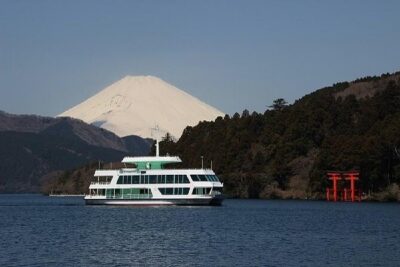 ★ 4.0Mt Fuji & Hakone Cruise, Drum Show Bullet Train 1 Day from TokyoFrom $1497,413 reviews
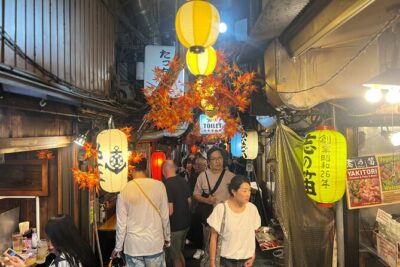 ★ 5.0Shinjuku Food Tour (13 Dishes at 4 Local Eateries)From $866,603 reviews
 ★ 4.4Tokyo Mt Fuji 5th St & Hakone Cruise Bus Tour w/Bullet TrainFrom $1545,024 reviews
 ★ 5.0Flagship 2-Hours Official Street Go-Kart Tour – Tokyo Bay ShopFrom $644,974 reviews
 ★ 4.5From Tokyo: Mount Fuji Full-Day Sightseeing TripFrom $684,970 reviews